OGSolarStore
Battery Capacity Tester & Charger, 30V 20A - Zketech EBC-A20
Battery Capacity Tester & Charger, 30V 20A - Zketech EBC-A20
Available to order Ships in 4 weeks.
Couldn't load pickup availability
- Stocked in Michigan
- Sourced from Certified Manufacturer
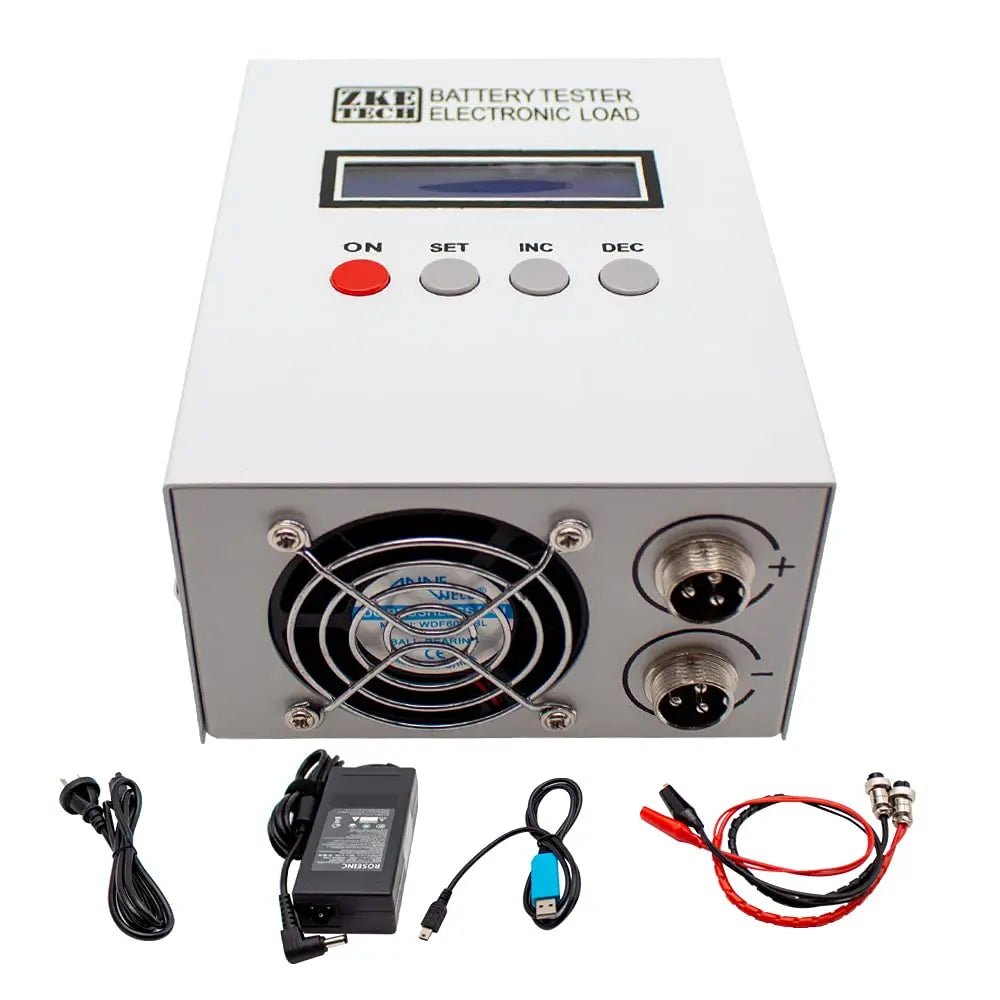
The ZKETECH EBC-A20 is a combined battery charger, programmable load and capacity meter in one bench unit. It charges at up to 18 V / 5 A, discharges at up to 30 V / 20 A, and measures real capacity in amp-hours and watt-hours while it works. Connect it to a PC with the included USB-TTL cable and you can program a full charge→discharge→recharge cycle, walk away, and come back to a finished capacity number and a plotted curve.
It is the tool you reach for when you need to know what a battery actually holds, not what the label claims. That makes it standard kit for anyone buying salvaged or surplus cells, grading used LiFePO₄ packs, testing 18650s before building a pack, or proving a warranty claim.
Key features
- Charge, discharge and measure in one unit — no separate charger, load bank and meter. Charge 0.10–5.00 A up to 18 V, discharge 0.10–20.00 A down from 30 V.
- Three test modes — constant-current discharge (DSC-CC) for capacity tests, constant-power discharge (DSC-CP) to simulate a real load, and constant-voltage charge (CHG-CV) for lithium and lead-acid.
- Unattended auto cycling — built-in AUTO mode runs charge→discharge→charge on its own, with a settable rest period between steps so cells cool before the next stage.
- Four-wire measurement — voltage and current run on separate channels through the aviation connectors, so lead resistance does not corrupt the reading. Voltage and current are both accurate to ±0.5 %.
- PC software with real graphing — the free EB Tester software plots voltage and current against time, stores multi-step test profiles you can reload, and handles calibration and firmware updates.
- Works with every common chemistry — lead-acid, Li-ion, LiPo, LiFePO₄ and ternary lithium, from a single cell up to 7s.
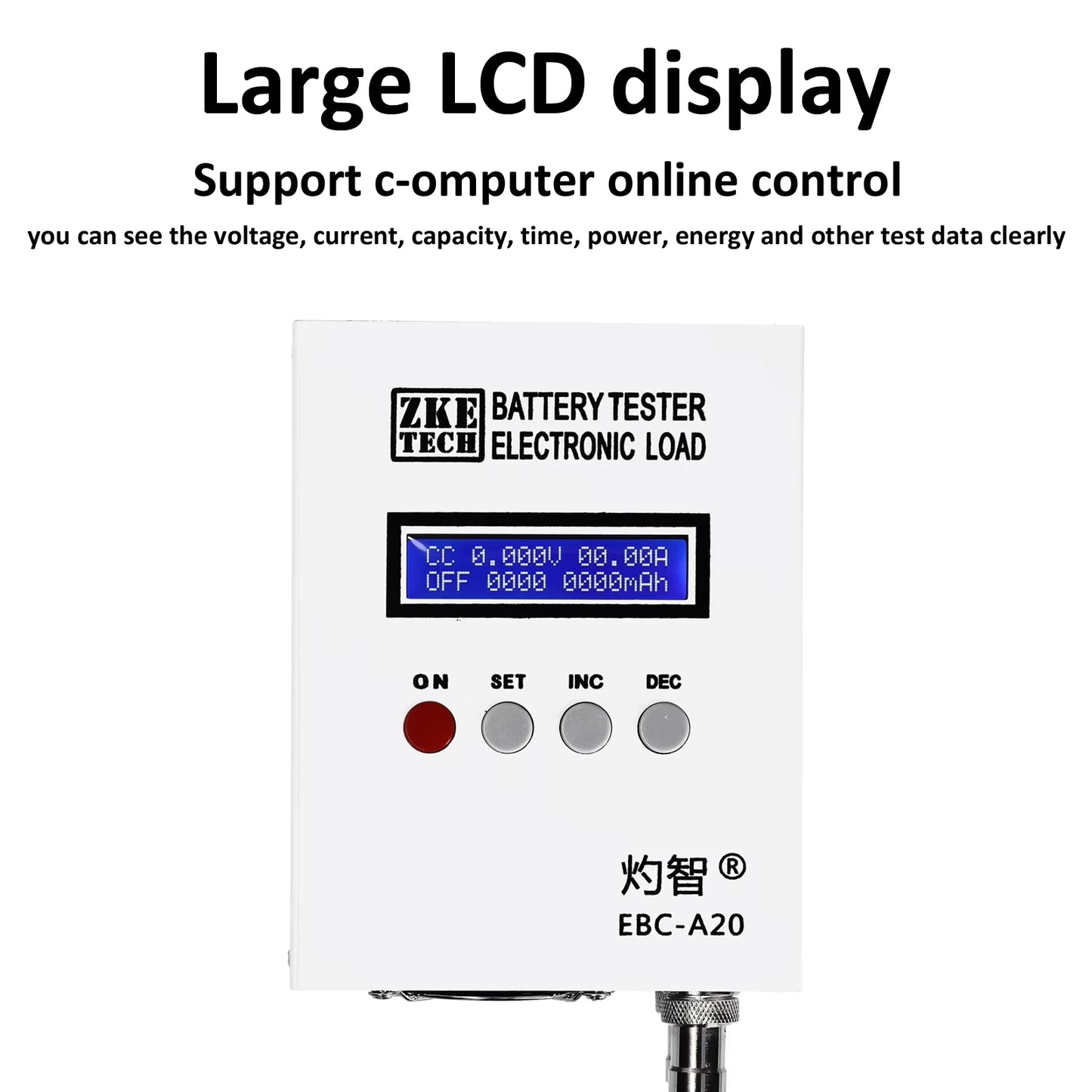
- Bench-friendly — vented aluminium housing with a thermostatic fan, clear LCD readout, and a four-button interface that works standalone with no computer attached.
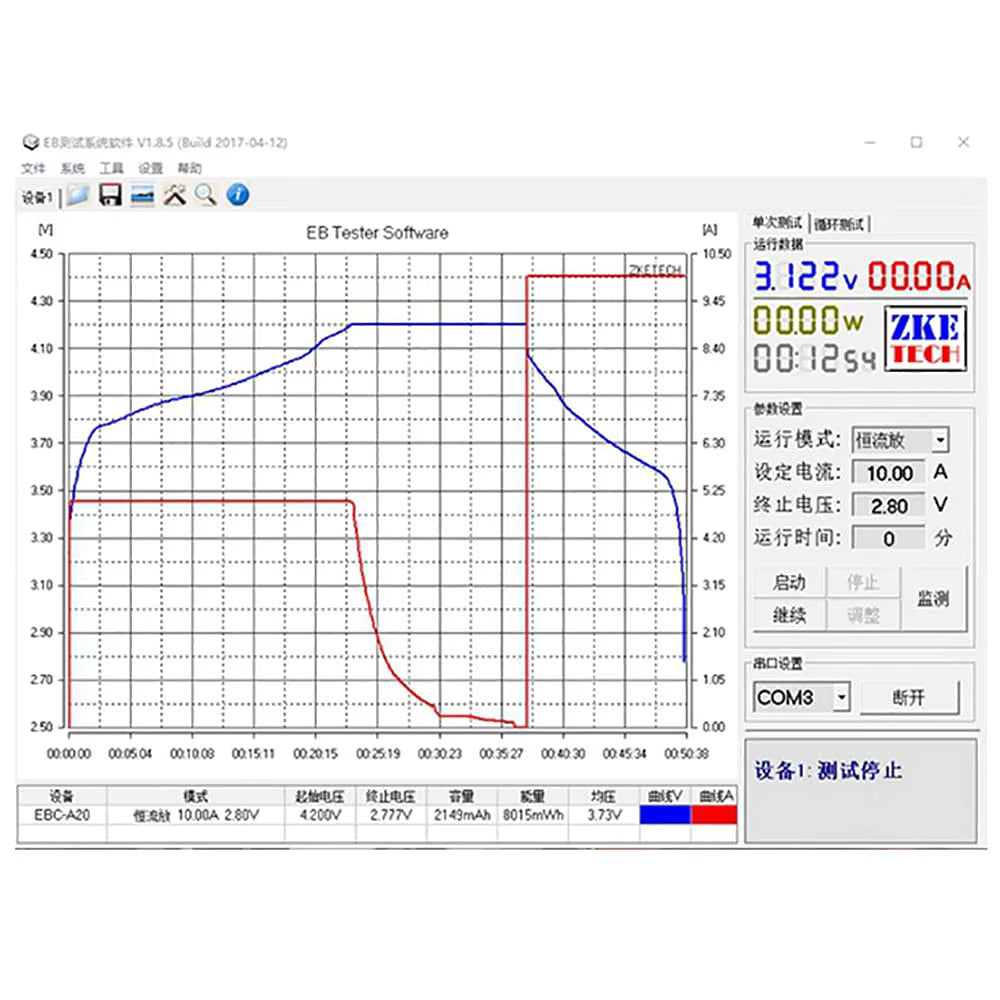
Sample Charge Curve from a Sodium-ion cell

What you can test
The charge side tops out at 18 V and the discharge side at 30 V, so the tester covers a wider range of packs on discharge than on charge. Check your pack here before you buy:
| Pack | Full-charge voltage | Charge? | Discharge? |
|---|---|---|---|
| Single Li-ion / LiPo cell (1s) | 4.2 V | Yes | Yes |
| Single LiFePO₄ cell (1s) | 3.65 V | Yes | Yes |
| Li-ion 2s–4s | 8.4–16.8 V | Yes | Yes |
| LiFePO₄ 4s (12 V nominal) | 14.6 V | Yes | Yes |
| 12 V lead-acid / AGM | 14.4–14.8 V | Yes | Yes |
| Li-ion 5s–7s | 21.0–29.4 V | No — over 18 V | Yes |
| LiFePO₄ 8s (24 V nominal) | 29.2 V | No — over 18 V | Yes |
| 24 V lead-acid | 28.8 V | No — over 18 V | Yes |
Testing a 24 V pack? Charge it with your own charger, then use the EBC-A20 in discharge-only mode to measure capacity. You still get the full capacity reading and discharge curve.
Understanding the 85 W discharge limit
Read this before you buy. The EBC-A20 is an 85 W load. The 20 A maximum only applies at low voltage — at higher pack voltages the unit is limited by wattage, not amperage, and automatically reduces current to stay within 85 W.
In practice that means 20 A is available for single-cell testing, while a 12 V pack discharges at around 6 A. Here is the realistic maximum discharge current at common pack voltages:
| Pack voltage (nominal) | Max discharge current |
|---|---|
| 3.2–4.2 V (1s) | 20 A (full rated current) |
| 7.4 V (2s Li-ion) | approx. 11.5 A |
| 12 V lead-acid / 4s LiFePO₄ | approx. 6.5 A |
| 14.8 V (4s Li-ion) | approx. 5.7 A |
| 24 V lead-acid / 7s Li-ion | approx. 3.3 A |
This is normal behavior, not a fault. A capacity test at 6 A on a 100 Ah pack simply takes longer — the measured amp-hour figure is just as accurate. If you need a high-current load for large 12 V and 24 V packs, look at a higher-wattage tester instead.
There is a matching rule on the charge side: for any battery above 10 V, ZKETECH specifies a charge current at least 0.5 A below your power supply's rating. With the included 19 V / 3.5 A supply, keep charge current at or below 3 A for 12 V packs. Fit a larger 19 V supply if you want the full 5 A.
Worked example: capacity-testing a 12 V LiFePO₄ pack
This is the test most customers run first. It fully charges the pack, measures true capacity on the way down, then leaves it at a safe storage charge. Set it up once and it runs unattended.
Open EB Tester, connect to the tester, click Cycle Test, then Setting (the button at the bottom right, not the Setting tab at the top). Add three steps:
| Step | Mode | Settings | What happens |
|---|---|---|---|
| 1 | C-CV (charge, constant voltage) | Current 3 A · Volt 14.6 V · Cutoff 0.2 A | Charges at 3 A until the pack reaches 14.6 V, then holds 14.6 V while current tapers. Ends at 0.2 A — a genuine full charge. |
| 2 | D-CC (discharge, constant current) | Current 5 A · Cutoff 10.0 V | Draws a steady 5 A until the pack falls to 10 V. This step produces your capacity figure in Ah and Wh. |
| 3 | C-CV (charge, constant voltage) | Current 3 A · Volt 13.2 V · Cutoff 0.2 A | Recharges only to nominal, leaving the pack at a safe voltage for storage or shipping. |
Click Add after each step, then OK. Your parameters load onto the main screen. Connect the pack to the clips, click Start, and the tester runs all three stages back to back. A 22 Ah pack at 5 A takes roughly 10–13 hours end to end. Test profiles can be saved and reloaded for the next pack.
Adjust the numbers for your chemistry: a 12 V AGM would use a 14.4 V charge and a 10.5 V cutoff; a single 18650 would use 4.2 V charge, a 0.05 C cutoff and a 2.8 V discharge floor.
Reading your results
When the run finishes, the software shows the full cycle as a graph: one trace for voltage, one for current, plotted against time. You will see current jump to your set value and voltage climb during the charge phase, current taper off as the pack tops out, then the discharge phase where current holds flat and voltage slides down to your cutoff. The D-CC step reports measured capacity in amp-hours alongside total watt-hours.
The shape of the discharge curve tells you the chemistry and the health of the pack. LiFePO₄ holds a long flat plateau near nominal voltage before dropping off a cliff at the end. Li-ion slopes down steadily across the whole discharge. A pack that sags early, or delivers well under its rated capacity, is telling you something — which is exactly the point of running the test.
Technical specifications
| Parameter | Value |
|---|---|
| Model designation | EBC-A20 — 30 V / 20 A / 85 W |
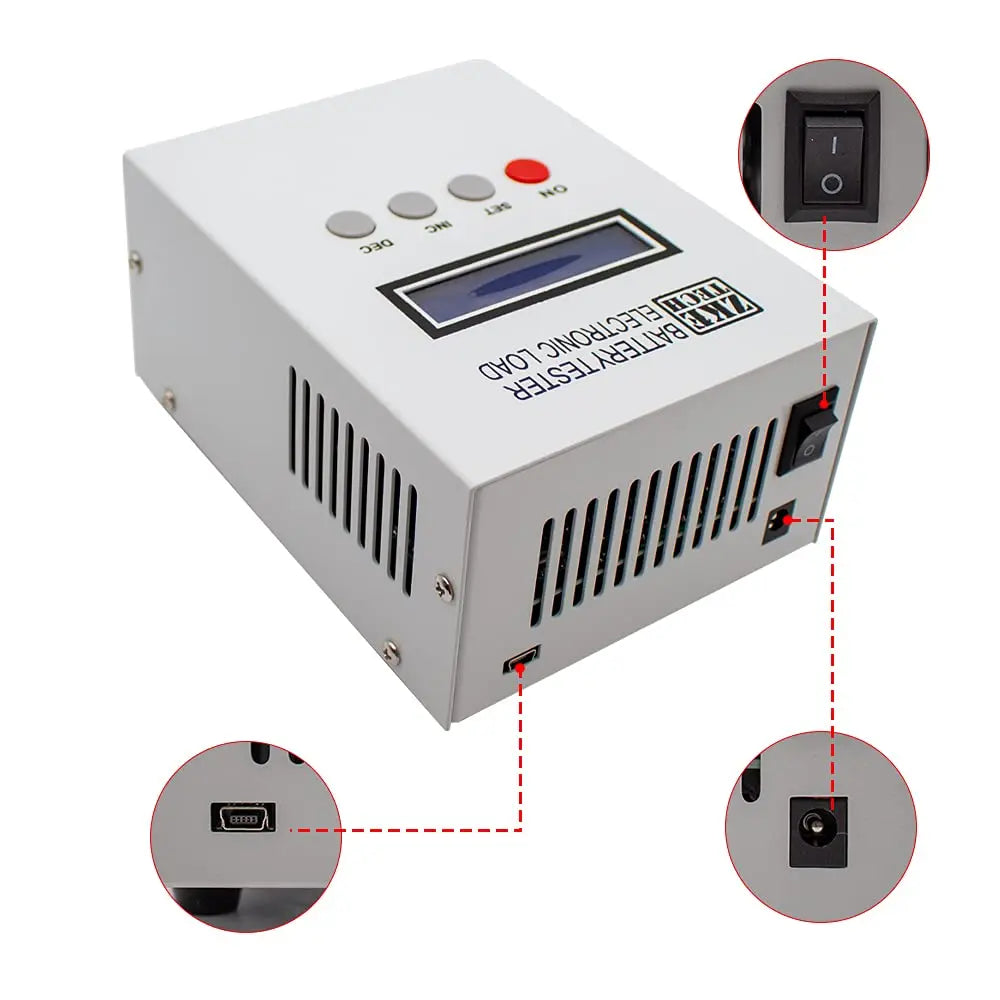
| Power supply | DC 19–20 V, 3.5 A or higher. Barrel jack 5.5 / 2.1 mm, centre positive |
| Voltage setting range | 0.00–30.00 V in 0.01 V steps (charge mode is capped at 18 V) |
| Charge current | 0.10–5.00 A in 0.01 A steps (limited by your power supply rating) |
| Discharge current | 0.10–20.00 A in 0.01 A steps, auto-reduced above 85 W |
| Maximum discharge power | 85 W |
| Manual modes | DSC-CC constant-current discharge · DSC-CP constant-power discharge · CHG-CV constant-voltage charge |
| Auto mode | Unattended charge–discharge–charge cycling with settable rest period |
| Voltage accuracy | 0–4.5 V: 0.003 V, ±0.5 % · 4.5–30 V: 0.01 V, ±0.5 % |
| Current accuracy | 0.10–20.00 A: 0.01 A, ±0.5 % |
| Capacity resolution | Under 10 Ah: 0.001 Ah · 10–100 Ah: 0.01 Ah · Over 100 Ah: 0.1 Ah |
| Test timer | 0–999 minutes per step; set 0 for no time limit |
| Connections | Two front-panel aviation sockets; voltage and current channels separated for four-wire accuracy |
| Display | LCD showing mode, voltage, current, elapsed time, capacity, energy and power |
| PC connection | Dedicated USB-TTL cable (mini-USB connector at the tester) for graphing, calibration and firmware updates |
| Dimensions | 120 × 155 mm footprint |
| Weight | Approximately 2 kg |
| Shipping box | 28 × 24 × 15 cm, 6 kg gross |
What’s in the box
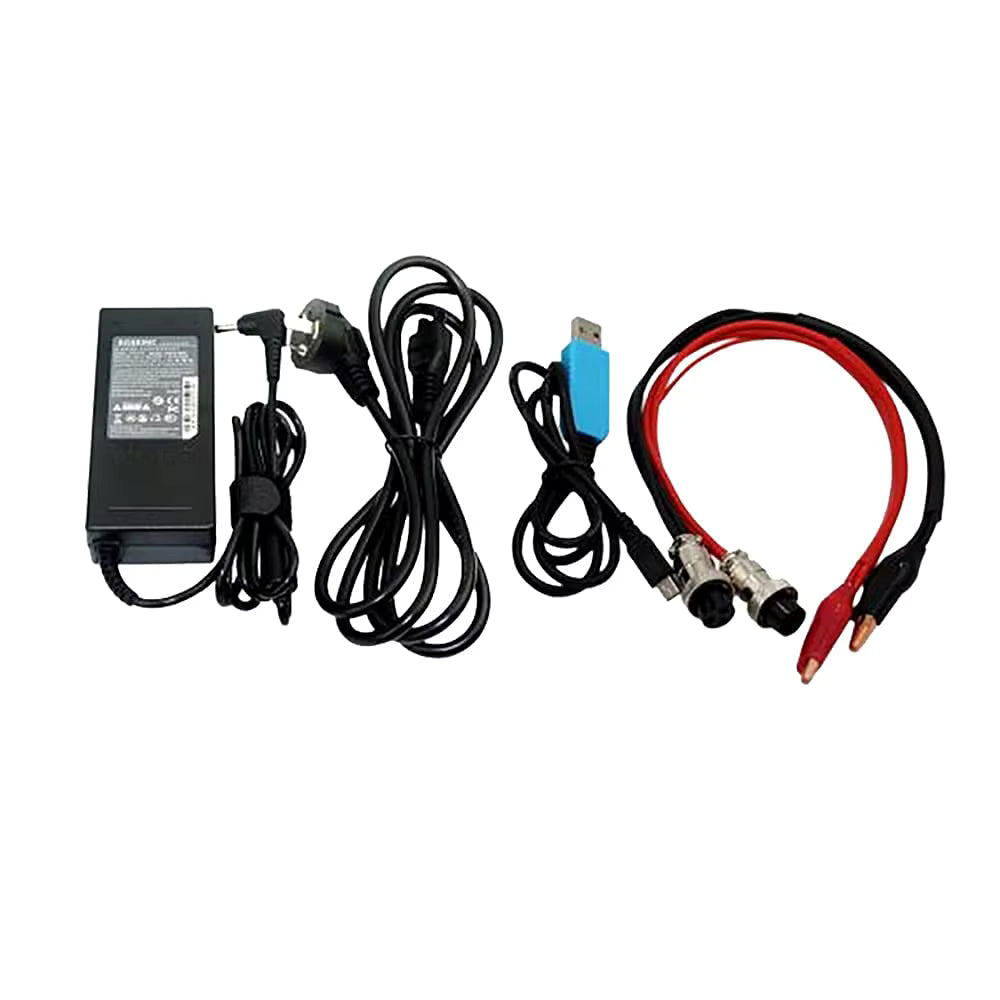
- ZKETECH EBC-A20 battery tester
- 19 V / 3.5 A power supply with plug
- USB-TTL communication cable for PC connection
- Test leads with aviation connectors and alligator clips
- Printed user manual, plus software download links
Connecting to your computer
The tester works fully standalone using its front-panel buttons. The software is what unlocks graphing and multi-step cycle programming.
- Install the USB-TTL driver, then install the EB Tester software. Download links for both are in the manual and at zketech.com.
- Windows in S Mode? You will need to leave it first, or Windows will block the install. Open the Microsoft Store, search “switch out of S mode”, and click Get. S Mode is often preset on budget laptops.
- Power on the tester and connect the included USB adapter between the tester and your PC.
- Open EB Tester and find Comm Setting. Choose your COM port and click Connect. It is usually a number between COM3 and COM9 — if this is the only USB serial device attached, COM3 is the likely one. If no port appears, the driver has not installed correctly.
- Once connected, the Cycle Test tab appears at the top right. That is where you build multi-step test profiles.
Windows only. ZKETECH has confirmed the EB Tester software does not currently run on macOS. Mac users can still operate the tester manually from its front panel, but cannot graph or program cycle tests.
Typical applications
- Verifying the true capacity of used, salvaged or surplus cells and packs before you build with them
- Grading and matching cells so a pack is built from consistent capacity
- Confirming a new battery actually delivers its rated amp-hours
- Running repeatable cycle-life tests on small packs
- Simulating a constant-power load for electronics and product development
- Documenting voltage sag and capacity loss for warranty or resale evidence
Safety and usage notes
- Never reverse polarity. Check your clip connections before starting a test.
- Leave the BMS connected when testing a pack that has one, and test in a safe, uncluttered area away from flammable material.
- Keep the vents clear. The unit dissipates up to 85 W as heat; the fan needs airflow around the case.
- Charge is capped at 18 V. Packs charging above that need an external charger — discharge testing still works up to 30 V.
- Above 10 V, keep charge current 0.5 A below your power supply’s rating (3 A maximum with the included 3.5 A supply).
- Use the supplied power adapter or an equivalent 19–20 V, 3.5 A+ unit with a 5.5 / 2.1 mm centre-positive plug.
- Use the supplied USB-TTL cable. The port is a mini-USB socket, but an ordinary mini-USB cable will not communicate — the supplied cable contains a serial converter.
- In auto cycling, allow a 5–10 minute rest between discharge and recharge so cells can cool.
Frequently asked questions
Can it test a 24 V battery?
It can discharge and capacity-test one, up to 30 V. It cannot charge it, because charging is capped at 18 V. Use your own charger for the charge stage.
Why won’t it discharge my 12 V battery at 20 A?
Because the load is rated 85 W. At 12.8 V that works out to roughly 6.5 A, and the tester reduces current automatically to stay inside the limit. The 20 A figure applies to single-cell testing.
Does it work on a Mac?
Not for the software. ZKETECH has confirmed EB Tester is Windows only. Manual front-panel operation works regardless of what computer you own.
Do I need a computer to use it?
No. You can set modes, currents, cutoffs and even auto cycling from the four front-panel buttons and read results on the LCD. The PC software adds graphing and multi-step profiles.
What is the lowest cutoff current I can set?
0.1 A. Anything below that cannot be entered.
Can it test a 100 Ah battery?
Yes, and it resolves capacity to 0.1 Ah at that size. Budget the time: at roughly 6.5 A a 100 Ah pack takes over 15 hours to discharge. Set the step timer to 0 so it runs without a time limit.
Can I run tests unattended overnight?
That is what auto mode is designed for. Follow normal battery-testing precautions: a clear, non-flammable area, BMS connected, and good ventilation.
Downloads and support
User manual: Download the official EBC-A20 user manual (PDF)
Software: The EB Tester software and USB-TTL driver are free downloads from zketech.com, with links provided in the manual.
System requirements: Windows 7, 8, 10 or 11 with a free USB port and administrator rights to install the driver. Not compatible with macOS.